Launch guide · practical sequence
Respect the sequence — theme, catalog truth, preview, revenue rails, then HTTPS — and launch stops feeling chaotic.
From idea to a live, selling URL — without guaranteed minutes.
Work in one sequence: choose a theme baseline, enter real product data, refine in the builder, enable built-in checkout, set shipping expectations, then publish on HTTPS (subdomain first, custom domain when DNS is ready). If your catalog and photography are ready, the path can be same-day; if not, the bottleneck is content — not tab four in another tool.
Sequence: theme → catalog → builder preview → built-in checkout → shipping honesty → domain & HTTPS publish. Same commerce workspace for merchandising and ops.
WORKSPACE SPINE — THE THREAD TO KEEP IN ORDER
Not a race — just a sequence. Payments and DNS are allowed to be boring; your job is to not skip proof steps because a page “looks ready.”
Launch path overview
The thread most founders follow
Baseline
Theme baseline
Borrow structure before you polish every sentence.
Truth
Catalog truth
Price, variants, media — weak data shows up at checkout.
Preview
Builder preview
Sections and story, matched to what you will publish.
Revenue
Payments
Real cart when you want revenue possible.
Promise
Shipping copy
Rates and timelines buyers can hold you to.
HTTPS
Domain + HTTPS
Shareable subdomain now; branded host when DNS is ready.
PART 1
Theme, catalog, builder — foundation
Pick a theme baseline
Choose a layout built for selling — then make it yours in the builder, not restart from zero.
Load your product catalog
Images, price, variants, inventory truth. Weak catalog data shows up at checkout whether you delay it or not.
Refine in the builder
Reorder sections, tighten proof, adjust media — preview matches what you will publish.
01Builder proof
Canvas capture is intentionally paused
Below: the store builder (real screenshot). The milestone is a storefront URL you can send — not a roadmap slide.
The previous marketing “builder” image was a duplicated decorative card, not a verifiable editor screenshot. Follow the steps above; a real canvas + inspector capture will return here when the asset pipeline ships an honest file.
PART 2
Payments, shipping, publish
Enable built-in checkout
Connect your payment provider when you want real purchases. Until then you can keep iterating without fake “buy” paths.
Set shipping expectations
Make rates and delivery timelines legible so first-order support stays manageable.
Publish on HTTPS + domain
Ship on an Arkezone subdomain for a shareable link, or connect your domain when registrar DNS is ready.
CHECKOUT
Checkout built into your store beside your orders
Connect your payment provider when you are ready for revenue. Customers see a real cart and receipts — you see payments and fulfillment in the same operational view as your products.
Payments & checkout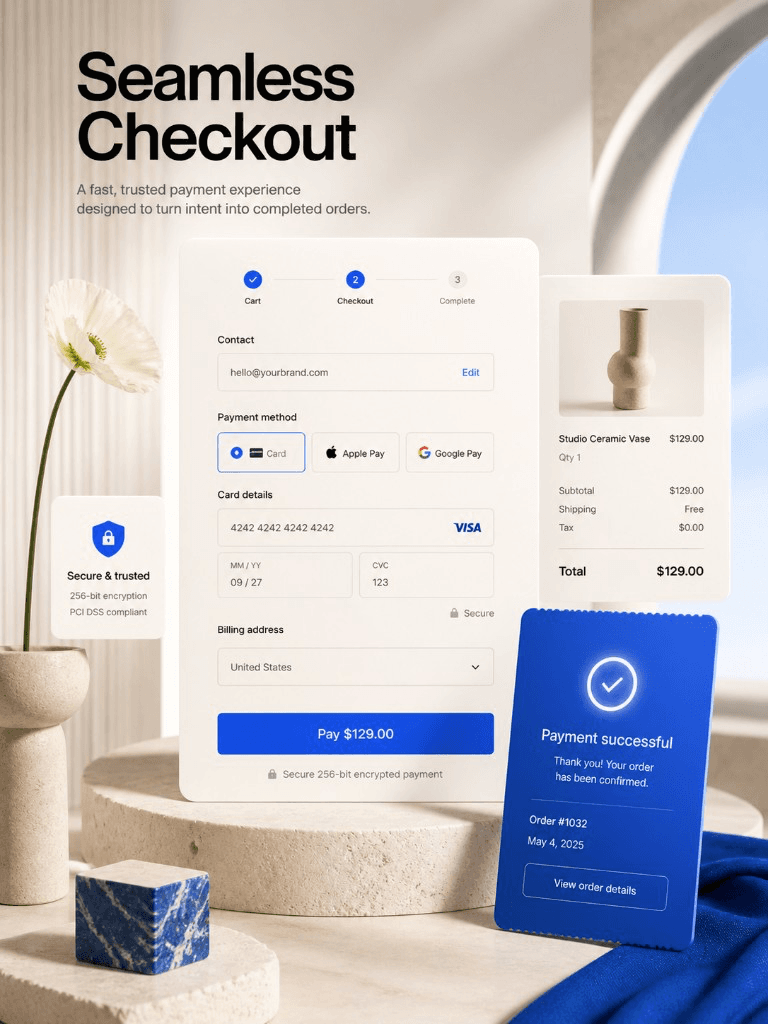
PUBLISH
Subdomain now, custom domain when DNS is ready
Ship on a secure Arkezone URL minutes after you are happy with the preview. Point your own domain when the registrar side is sorted — SSL stays part of the publish path, not a weekend project.
Domains in the product
REALISTIC NOTES
What usually slows a launch
- Photography and proof take longer than software setup — plan for that instead of fighting the calendar.
- Policies should match how you actually fulfill; overpromising creates support debt on order one.
- Custom domains need registrar DNS — the platform publishes SSL once the domain is pointed correctly.
Founder moment
“If the rails feel boring, you are probably doing launch correctly — DNS and payouts rarely reward theater.”
FAQ
Launch questions
If catalog copy and imagery are ready, you can often ship a credible URL quickly. Timeline still depends on your assets and policies — the platform’s job is to remove unnecessary wiring work, not to promise a fixed clock.
No. You should expect to make merchandising decisions yourself — prices, copy, policies — but you do not need to configure servers or theme code.
Yes. You can switch storefront baselines or rebuild sections as your assortment grows — products stay in the catalog.
Email the team with your store context. We optimize for founders who want direct answers — not a generic help bot loop.
NEXT STEP
Put the storefront in the world
Professional storefront themes, real checkout, SSL publish — without chaining five vendors before your first order. Interested in the founder path? Open the founder offer page — then continue in Billing after you sign in.
FREE TO START · NO CREDIT CARD · CANCEL ANYTIME